READ EVERY CARD
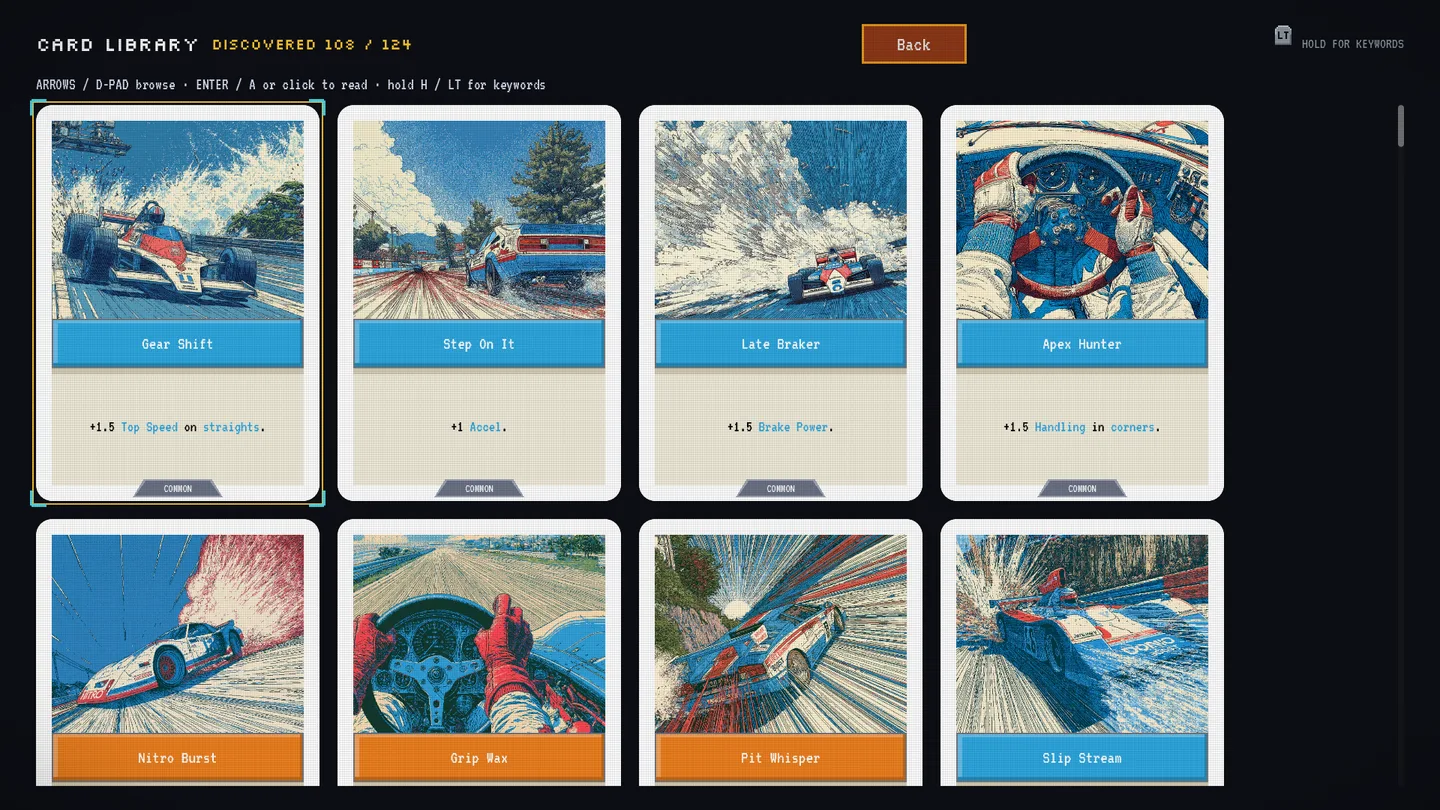
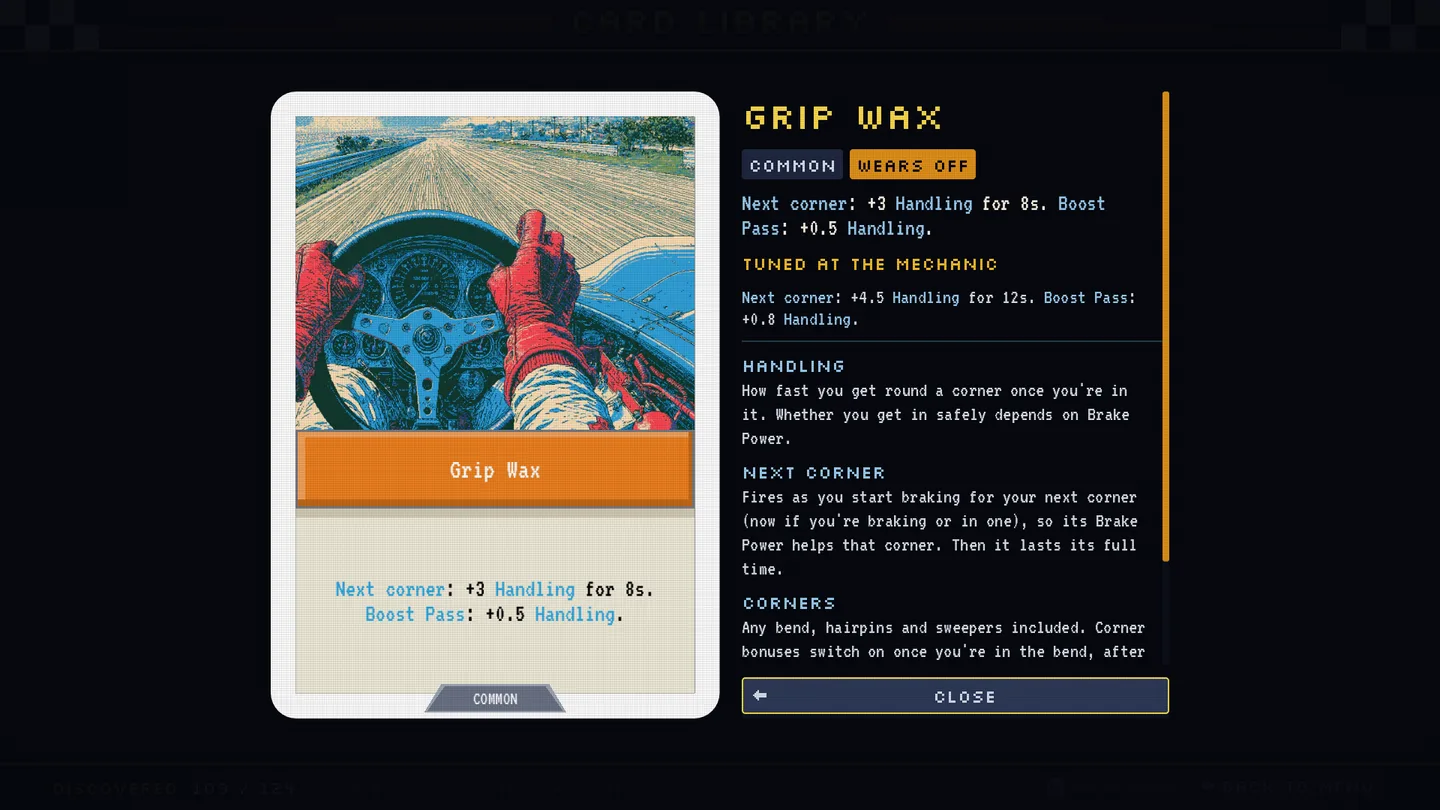
The Card Library was the oldest screen left in the game. It came from before the pit shop, before the Mechanic, before the menus got their chrome title and red speed stripes. A plain dark page, an orange Back button floating in the middle of nowhere, and big cards in a fixed grid. To actually read a card you had to click it open in a pop-up, close it, and click the next one.
Now it's built like the Mechanic. Every card in the game sits in the binder on the left, and the card you point at goes up on the inspection bench on the right, held up big with its words printed beside it in proper large type. No click needed: sweep the mouse along the shelf, or walk it with the d-pad, and the page keeps up.
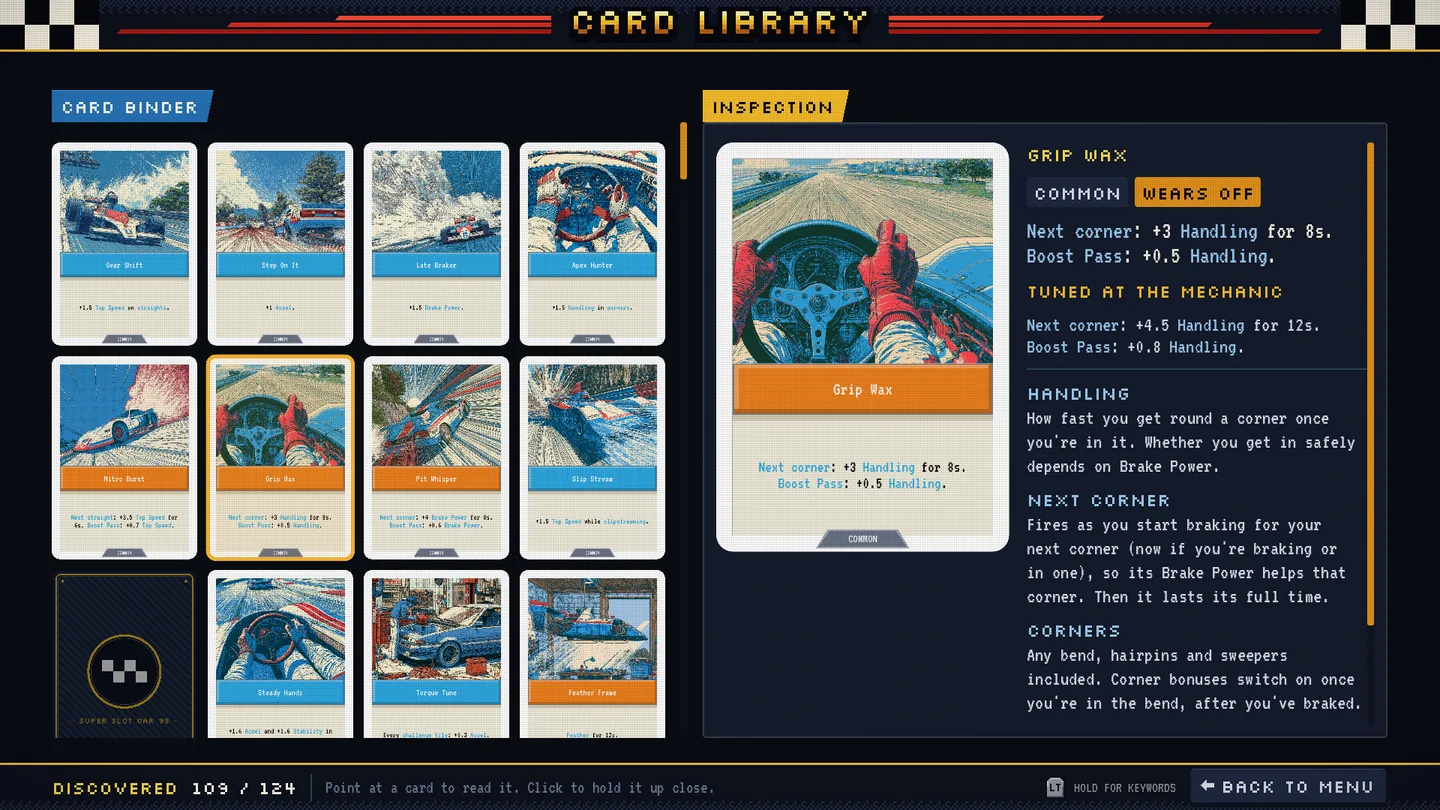
The page spells out the things you used to have to know. How long a card lasts: LASTS THE RACE, WEARS OFF, or ONE USE PER RUN, the same thing the banner colour has always been trying to tell you. What it becomes when the Mechanic tunes it up. And every keyword on it, written out in full, so you don't have to hover each blue word in turn. Cards you haven't had in a deck yet stay face down and tell you how to find them, and nothing else.
The shelf is fluid, too. It works out how many columns fit the window and grows the cards to fill them, so it looks right on a big monitor, a laptop or a phone-sized window, and it reflows if you resize mid-browse without losing your place. On a pad the right stick scrolls a long card's words. These are captures from the native Windows desktop build at 1080p. No cards changed: this is the same 124 cards, finally easy to read.