← SUPERSLOTCAR.COM

PIT NOTES

Updates from the workshop, straight off the bench.

THE TRACK BUILDER GOES 3D

The races have been running on a 3D tabletop for a while now: raised track pieces with real walls, kerb blocks, trees you can knock over. The Track Builder never caught up. You designed your circuit on a flat map, pressed GO, and only then saw what you'd made. So now the builder is the 3D table too.
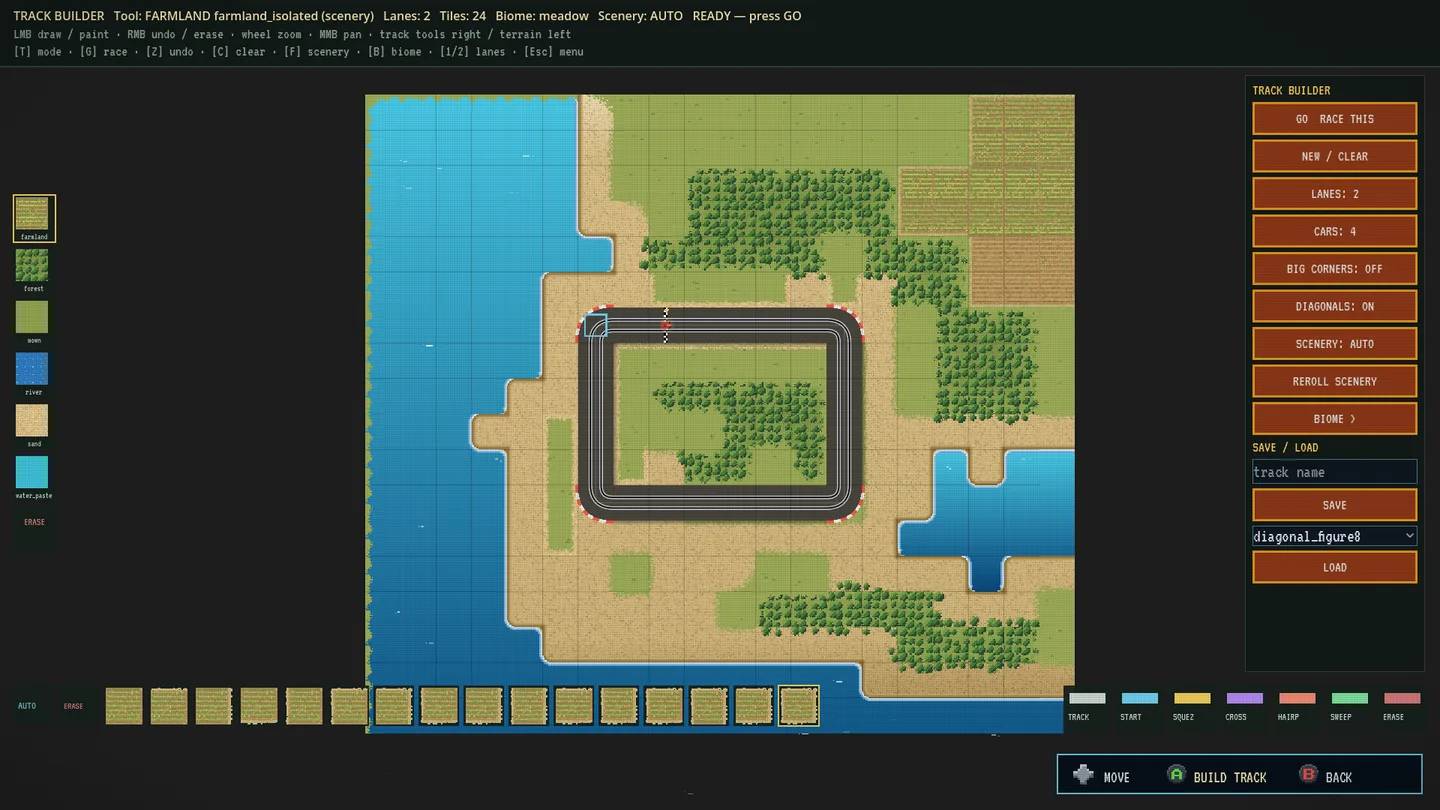
Native Windows desktop game capture of the old flat Track Builder: a rectangular slot car circuit drawn top-down on a pixel art map of sand, woods and water, with a long strip of near-identical terrain tiles along the bottom and a column of orange buttons down the right
Before: flat, and a wall of buttons. Sixteen of those tiles at the bottom were the same field.
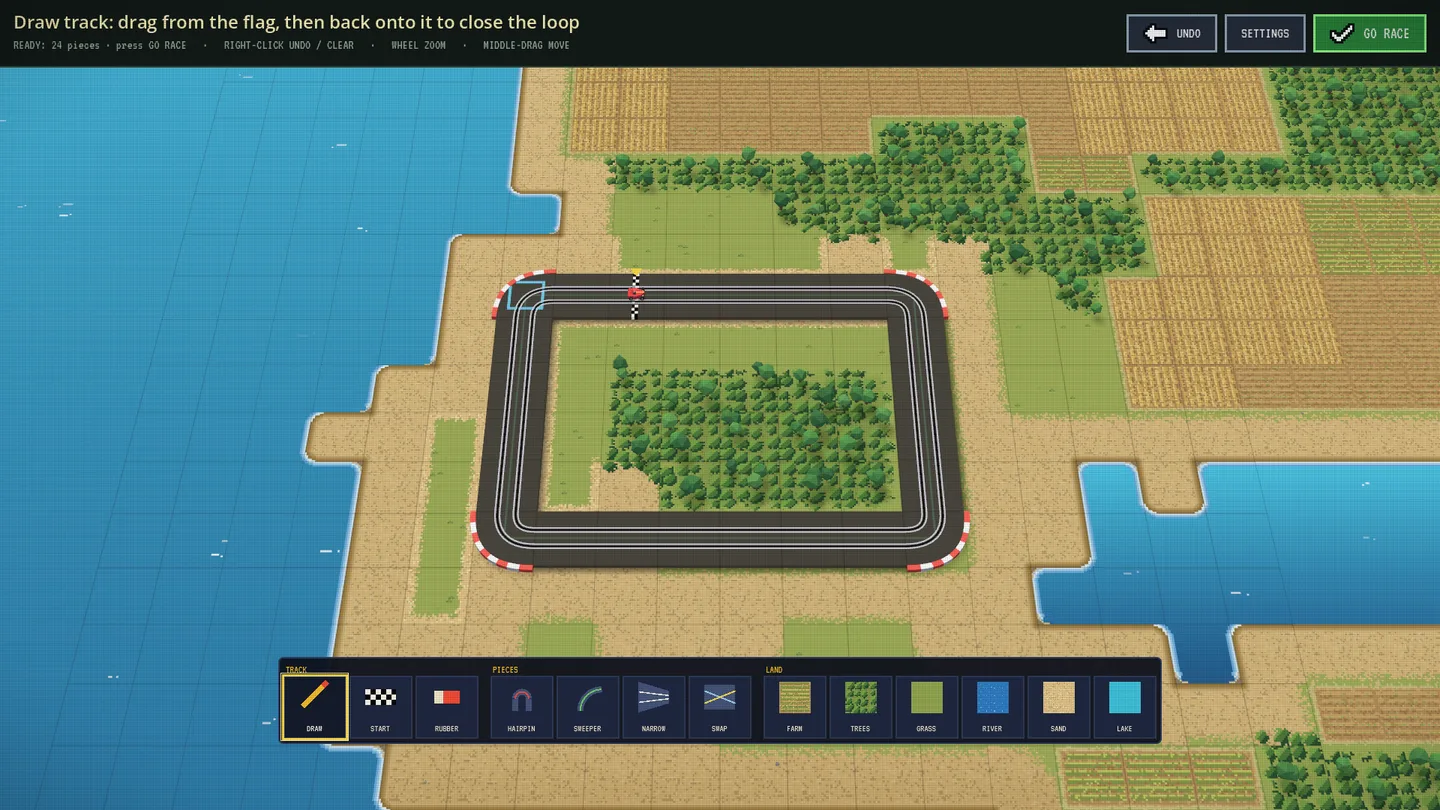
Native Windows desktop game capture of the new Track Builder in 3D: the same circuit as raised slot car track with red and white kerbs, low-poly trees in the infield, fields and a lake around it, and one row of labelled tools along the bottom
After: the same circuit, on the same table you'll race it on.

You draw straight onto the 3D table. Drag out from the start flag, come back to it, and the loop closes, then the track pieces, kerbs and trees settle into place a moment after you let go. The square you point at is the square you get, at any zoom.
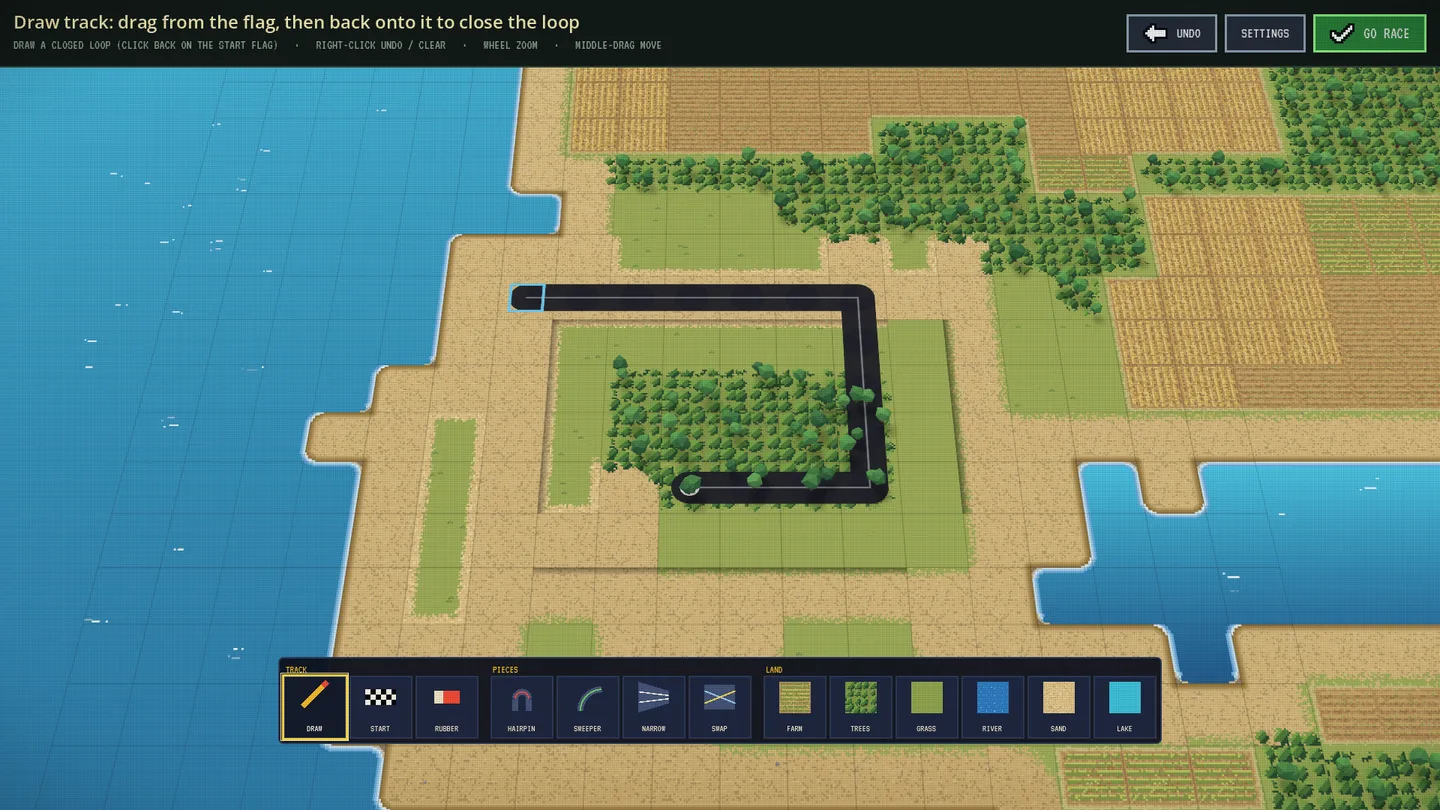
Native Windows desktop game capture of a new circuit being drawn in the 3D Track Builder: a dark line of track running along the top of a field and down the right side, open at one end, with the hint bar telling the player to close the loop
Halfway round. The line follows the mouse on the 3D table.

The tools got a clear-out too. Everything now sits in one row with three groups: Track (draw, start line, rubber), Pieces (hairpin, sweeper, narrow, lane swap) and Land (farm, trees, grass, river, sand, lake). There's no more switching modes: the tool in your hand decides what a click does, and the bar at the top tells you, in one sentence, what that is. Lanes, cars, the country, saving and loading all moved into one Settings panel.
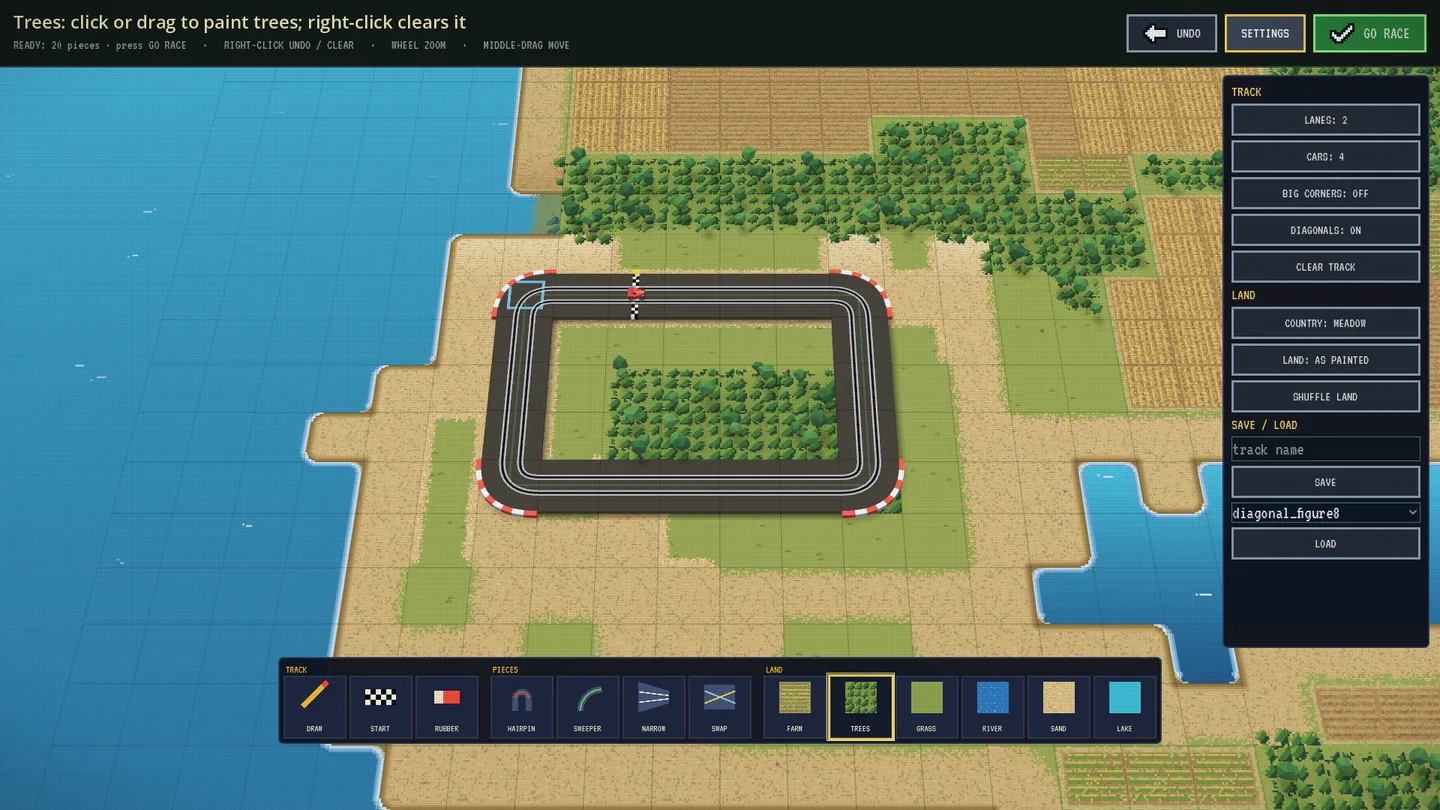
Native Windows desktop game capture of the 3D Track Builder with the Settings panel open on the right, listing lanes, cars, big corners, diagonals, clear track, country, land and save and load, above the row of track, piece and land tools
Everything that isn't a tool lives behind one button.

The small print: these are captures from the native Windows desktop build. Tracks you've already saved load exactly as before, the races they make are unchanged, and with 3D View switched off in the settings the builder is still the flat map, now with the new tool row.